

Subscribe to Our Newsletter
We've been back in class for around a month. Back to school season has likely felt like a busy one- and one that's maybe come with some anxiety as part of the package. This goes especially when we're looking at learners who are transitioning between schools and stages, and especially when we're looking at learners with SEN and neurodivergent minds.
For those with dyslexia, school can feel daunting at the best of times, but the spectre of the new term on the horizon suddenly becoming a reality is likely to have connected a number of disparate learning anxieties that suddenly feel more real. The new term is full of reading, and when it's stressful and it can often feel like there are barriers to success around most corners.
When huge amounts of effort are required in order to complete work that classmates and peers seem to be able to complete much more swiftly and efficiently, learners quickly become tired and can sometimes disengage - so that's why we need to take a good look at how we can support them, take the strain out of reading and writing for those with dyslexia or literacy differences, and level the playing field a little.
There are a few things we can do to make the start of the new term easier. From linking up with SENCOs and educators to discuss specific needs to making sure that exam accommodations are in place for those who need them, it's a holistic process. But when we've done that, where do we go next, for support with the day-to-day business of reading and learning both in and out of school?
If there is one field of innovation that's changed up the living and learning experience for those who have dyslexia over the past twenty years it's the growth of assistive technology. Assistive Tech, in the case of dyslexia, is a very broad term that can cover anything from low-tech supports like thumb grips and reading windows to huge platform learning and collaboration systems such as those we see in Microsoft and Google, as well as every device in-between - and a lot of it has the power to change the back to school experience for the better. So without further ado, here are some of the assistive tech solutions we've seen our global dyslexia community talking about over the past couple of months, and just how they could slot neatly into some different back to school regimes for a more inclusive, accessible and comfortable return to class this fall.

Hero is a Google Chrome extension that anybody can download. Based on AI technology, it's a great way of simplifying sentences for easier comprehension. A reader can activate the Hero extension when they're finding online text too complicated and it analyses the text at hand, producing a simplified, often shorter version that captures the gist of the sentence by leaves out any complex language and non-essential elements. It's the brainchild of a small start-up based in Copenhagen working to empower people with reading differences and make content more accessible for all. It's also supported by the founders of Kahoot, and it's committed to a data model that doesn't sell your information to third-party bodies.
Another Chrome extension we've seen folks chatting about a lot is Dyslexic Browser - and we've been chatting about it a lot, too! Dyslexic Browser is an intuitive text-to-speech browser system that works on the principle that sometimes, screen readers pick up and relay a lot of text that we don't need when we're reading a website. DB simplifies the process and simply allows its users to highlight text and then have only that text read back through to them - no top bars, button titles or advertisements, just the text you need to read. If you're interested in finding out more, SWD's Jeff Saville had a chat about dyslexia browser with its founder Jimmy Baldwin - you can catch it at our SWD YouTube Channel.
The ReaderPen and ExamReader at Scanning Pens
The text-to-speech scanning device has been a staple of the assistive tech regimen when it comes to dyslexia for years, and with JCQ-approved exam options, Scanning Pens have been helping learners with dyslexia and literacy differences to succeed for well in excess of a decade. Created to support users when they encounter on-paper text- which is most days in a school setting- they're real-world ready for reading anywhere. Combining award-winning text-to-speech technology, intuitive design and inbuilt decoding tools such as multiple language dictionary support, they're a solid pick for all-round support that doesn't need a wi-fi connection to make a change to the reading experience.
Microsoft Speech to Text Functions
When you've got dyslexia, sometimes it's not just the reading that feels difficult and stressful - sometimes differences when it comes to writing are part of your individual dyslexia experience too. Speech-to-Text is a fairly well-used system that can remove the need to write and type physically from tasks such as essay-writing and note-taking, but it does take a little getting used to. One of the benefits of this system, however, is that it's usually included and pre-installed within your computer operating system - there's a link to the Microsoft service and how to use it above.
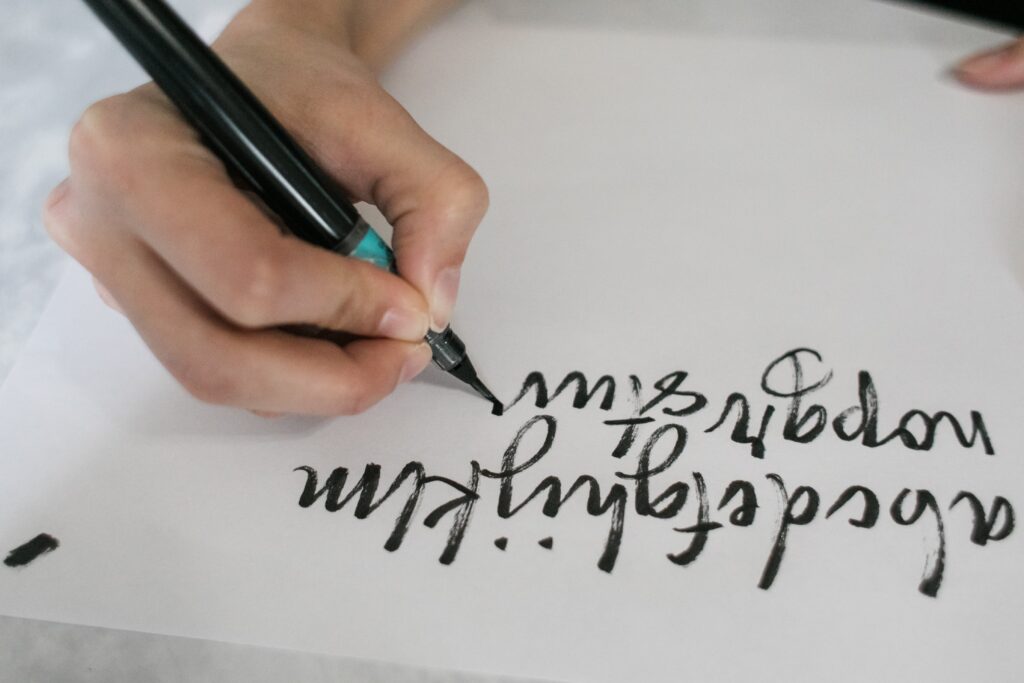
The Livescribe Smartpen is essentially a capture device that has multiple applications when users are studying and learning. It's a classic ink pen with a recording system that works by capturing everything you handwrite and everything that's said. Once the pen is activated, it begins taking a hybrid level picture of the notes you're writing within a special notebook. At the press of a button, it also starts recording sound - a bonus for users who write slowly or struggle to capture all the information that's bouncing around during a lesson or a lecture. You can listen to the audio recording from a desktop app, as well as see your notes just as they were written - perfect for people who find writing daunting as well as (or opposed to) reading.
Dyslexia Keyboard is an app for iPad and iPhone that has the potential to help people with dyslexia or dysgraphia to write, proofread and correct English-language texts. The keyboard works in a similar way to the predictive text systems you'd find on some older generations of mobile phone and smartphone - Ghotit QuickSpell Word Prediction and Ghotit Text Correction Engine are inbuilt systems designed for writers who struggle with typing or phonetic writers that pick up what you're writing mid-word, and finish the job for you with pickable suggestions in a topbar. It also has a phonetic and context-sensitive spellchecker and US, Canadian, UK and Australian dictionaries built in.
Back to school is a time of highs and lows for a lot of people who have dyslexia and literacy differences. But you don't have to go it alone - tech support is a huge part of how we learn and how we work in 2022 and it's never been a better time to check out what tech solutions might end up really working for you. Chat to your educators for more information on what they'd recommend or have seen used to great effect in the past, or check out one of our suggestions by using the links above.